 “Life in my Isolation Bubble”
 This coming Thursday, April 16th, in celebration of our fellowship “in the bubble” all those attending our Zoom meeting have two challenges:
Challenge One
Wear a “talking point” shirt or headwear (could be colourful, fun, controversial, etc)
Challenge Two
- Take a photograph of something you have been doing or have seen while in your bubble. Have the photo handy in your computer or phone file ready to upload as your Virtual Background for the meeting.
- All Members (meeting participants) will be asked to share for 2-3 minutes on how they are finding “life in the bubble” (think of something funny and something annoying)
- All meeting participants successful at displaying their photograph via Virtual Background will be asked to explain their photograph
- Online voting will occur for Best photo and Best shirt – with virtual prizes to be awarded at the meeting (and the real-deal given when we return to physical meetings)
For instructions on how to change your background photo (Virtual background) in Zoom, click "READ MORE", below.
How to change your background photo (virtual background) in Zoom:
- Link into your Zoom meeting
- On the control bar (usually located at the bottom of your Zoom screen)
- Find the Stop/Start Video control, (usually on left of control bar) and click the up arrow to the right of this.
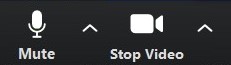
- Clicking that up arrow will give you this pop-up menu
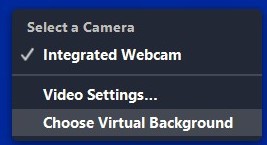
- Click onto Choose Virtual Background
- This menu will then display
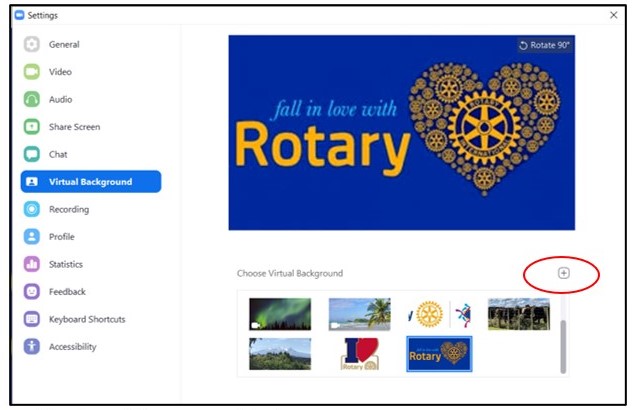
- Select one of the pre-saved photos by clicking onto; OR
- or to get your own photo Click the plus [+] sign. Select Add Image
- This takes you to your file browser, where you can select your own photograph